

NexGen Virtual Workplace for Webex
Give Webex an office
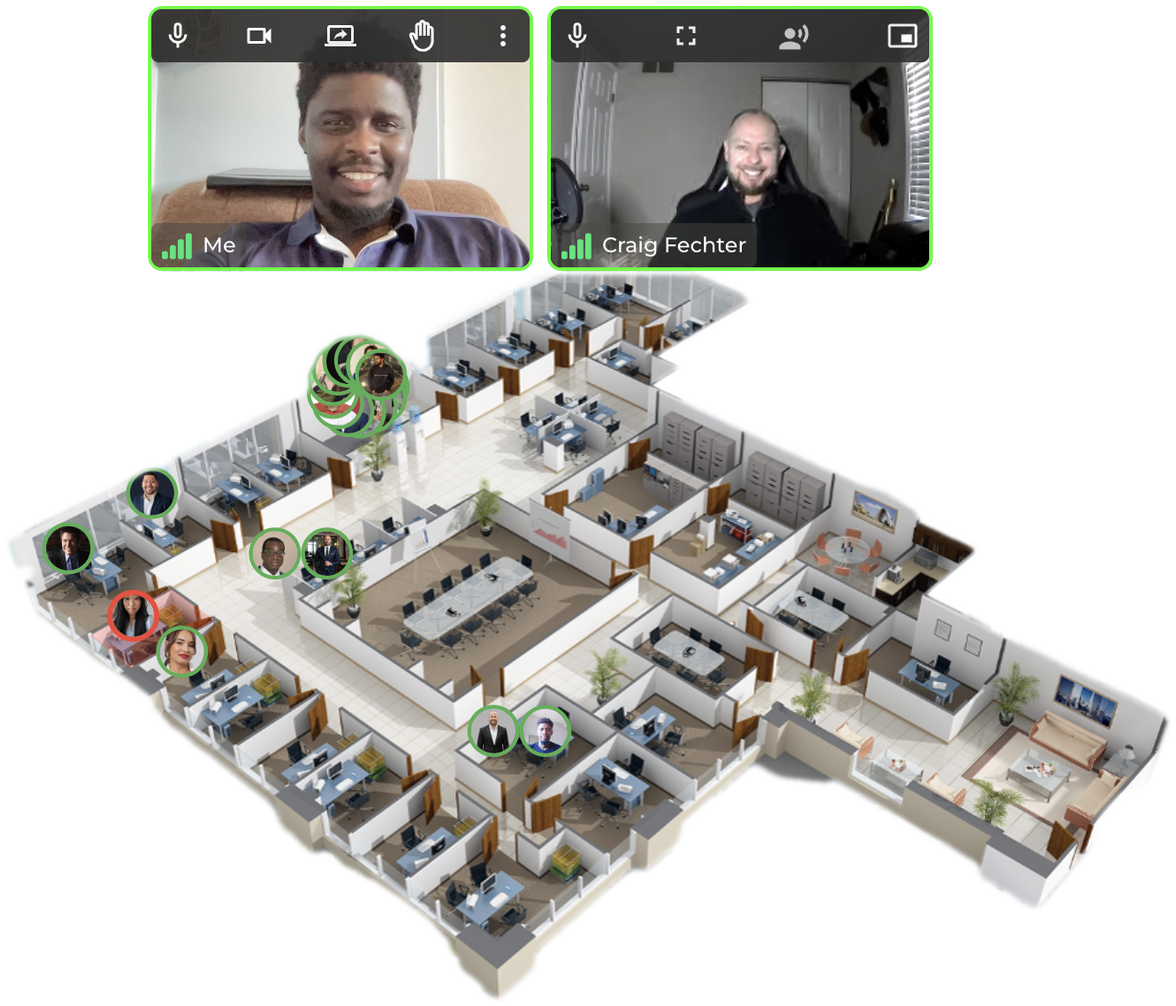
Already on Webex? You don't need to switch platforms to see who's free. NexGen puts your team on one live floor, and Webex runs inside it.
Keep Webex. Cameras optional.
- Webex partner
- G2 Virtual Workspaces High Performer
- Cameras optional
Great meetings. Nothing between.
60% of meetings are ad hoc, not scheduled. Most tools still make you book them.
Too many steps to meet.
Find a time, send a link, wait for people to join. All for a 2-minute question.
Who's free? Ask and wait.
Between meetings, your team is a list of names. You message, then you wait.
Pressure to switch platforms.
Other suites bundle presence and chat. Moving costs time, training and contracts.
More from your Webex
No need to switch. Webex runs the meeting. NexGen adds the place where the meeting happens.
Keep the Webex you know
Video and chat stay on Webex. No new meeting tool to learn, and no platform move.
Knock instead of book
See a green ring, knock, and you're in a Webex meeting. No link, no invite.
See who's free
Your whole team on one floor. Status rings show who's open to meet, on a break or set to do not disturb.
Share several screens at once
More than one person can share a screen at the same time. New for Webex teams.
Easier way to talk
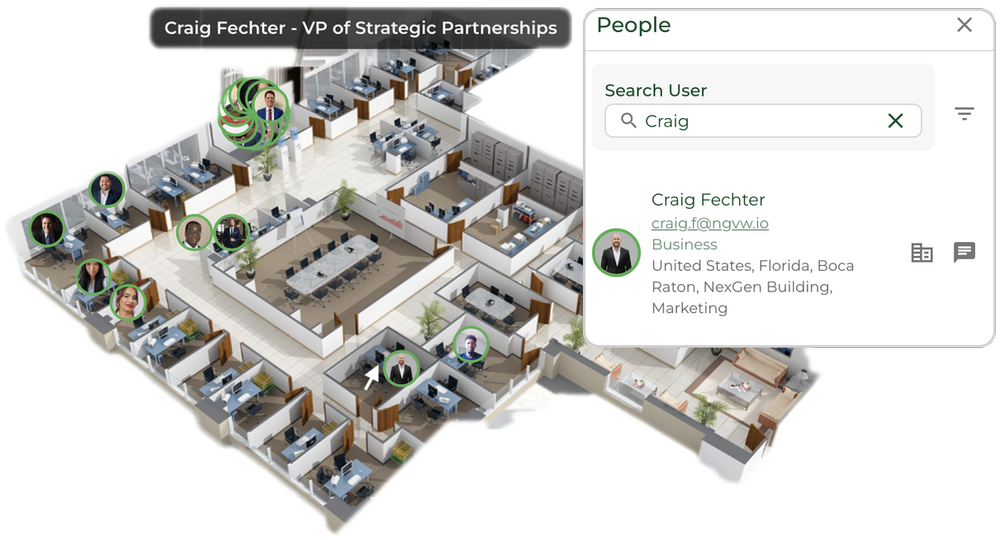
Find your team
Hover over any office to see who's in and free to talk. Search for anyone.
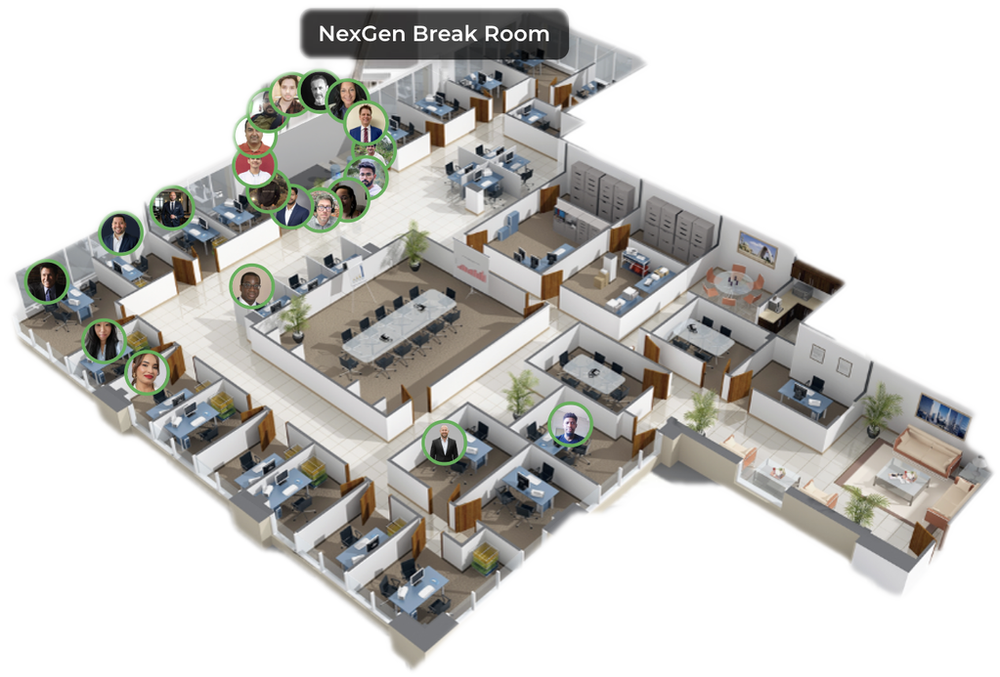
Knock on an office
Status rings show who's open to meet. Knock, and they accept.
Your questions, answered
Do we have to replace Webex?
No. Webex stays your meeting and chat tool. NexGen adds the floor around it.
How is this different from NexGen Virtual Workplace?
Same live floor. Here, video and chat run on Webex.
Will my team feel watched?
No. Cameras are optional, and no one sees anyone's video outside a call. NexGen shows status, never a wall of video feeds.
See Webex on the floor
Book a 30-minute call. See a Webex meeting start from the floor.
Also see: NexGen Virtual Workplace · Any Live Team