

NexGen Virtual Workplace
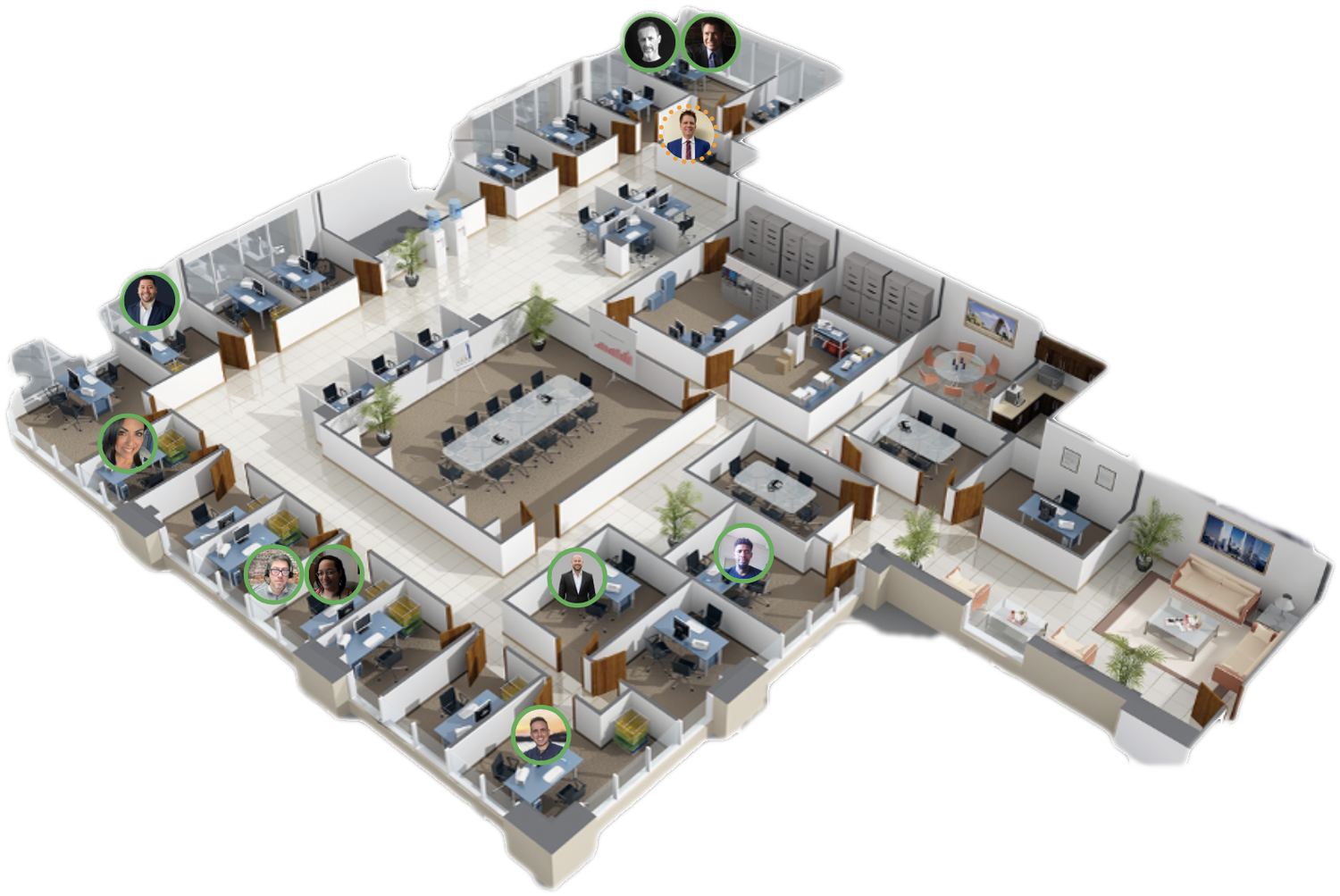
Your team, one live floor
See who's free. Get help in seconds. Feel like a team. Talk, share screens and solve problems in one click.
Keep your tools. Cameras optional.
- G2 Virtual Workspaces High Performer
- Webex partner
- End-to-end encrypted video
- Cameras optional
Find, knock, talk
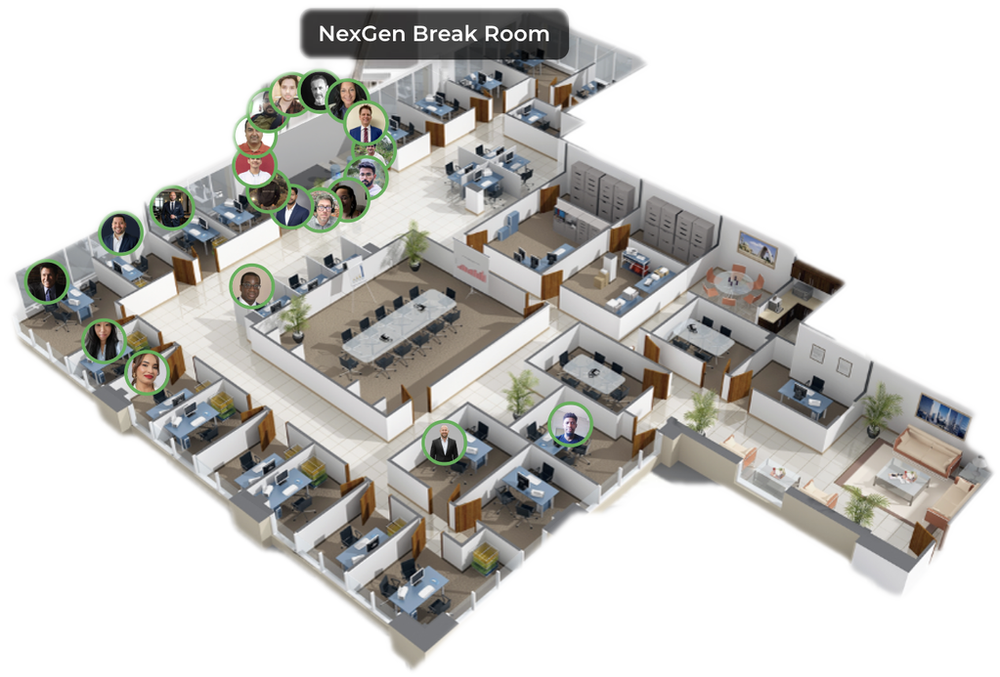
Know who's free
Status rings show who's open to meet, on a break or set to do not disturb. No asking.
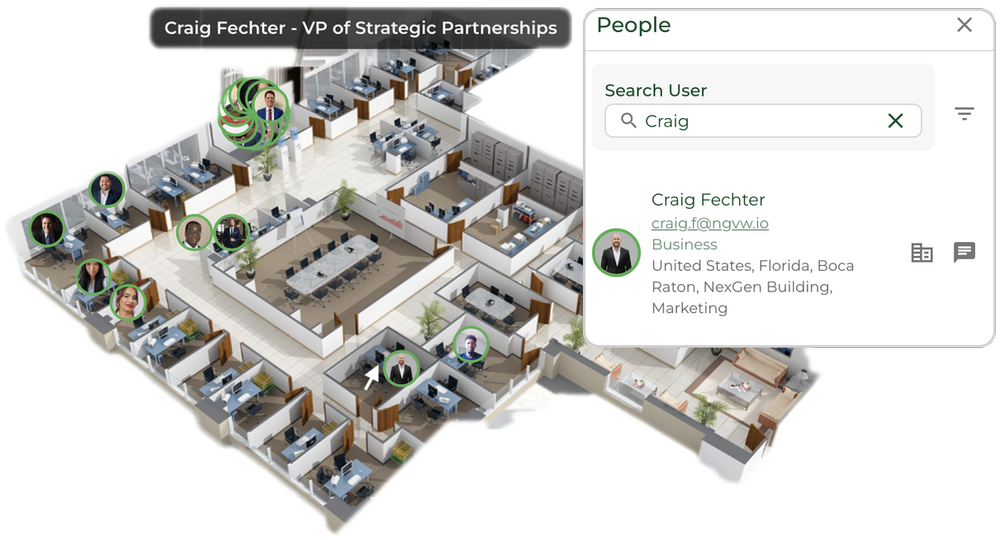
Find anyone in seconds
Hover over any office to see who's in and free to talk. Search for anyone.
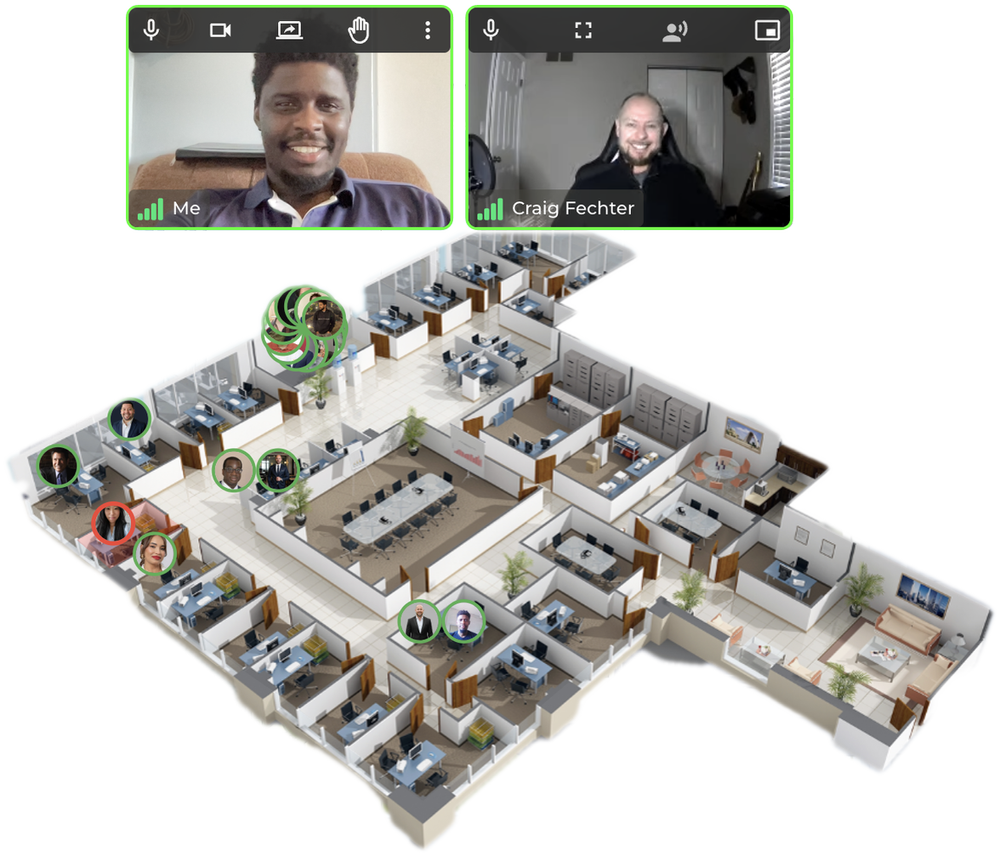
Join in one click
Knock and you're in. No link, no invite, no calendar.
Built for work, not hangouts
Your team already has meetings and chat. What it lacks is a place to work live, together.
Meeting tools
Great for planned meetings. Every quick question still needs a time and a link.
Chat apps
Great for updates. A live question waits for a reply.
Other virtual offices
A shared space that feels social. Little is built for help in the moment.
NexGen
A place to work live. See who's free, knock, and solve it in seconds.
Help, not hangouts
Every feature exists to get the right person to the problem fast.
Cameras optional
Presence without webcams. NexGen shows status, never a wall of video feeds.
Already on Webex?
Keep it. NexGen Virtual Workplace for Webex runs your Webex meetings on the floor.
Ready for your contact center
NexGen Virtual Workplace for Contact Centers gives agents hand raise and live KPIs on the floor.
All your work, one place
Open the apps your team uses every day, right from the floor.
Your work apps, pinned
Get to the apps you use most in one click.
Team and breakout rooms
Meet as a team, then split into small groups.
Several screens at once
More than one person can share at the same time.
Shared whiteboards
Sketch and solve together.
Recordings, captions, translation
Catch up later, in your language.
Chat on the floor
Message anyone on the floor.
“The Best Virtual Workplace Out There!”
I love how it gives a realistic feel of being in an office with my colleagues. The ease of connecting and communicating is unlike any other platform.
Your questions, answered
Is this a video meeting tool?
No. NexGen is the floor where work happens. Meetings start from it in one click.
Do we have to replace our chat and video tools?
No. Keep them. NexGen adds the floor around them.
Will my team feel watched?
No. Cameras are optional, and no one sees anyone's video outside a call. NexGen shows status, never a wall of video feeds.
Do we need to install anything?
No. Everything is in a web browser. Simply log in.
Is it secure?
Video is end-to-end encrypted. The app and its assets are encrypted in delivery. Ask us for the security brief.
See your team live
Book a 30-minute call. See real-time presence in action.
Also see: Any Live Team · NexGen Virtual Workplace for Webex